Appearance
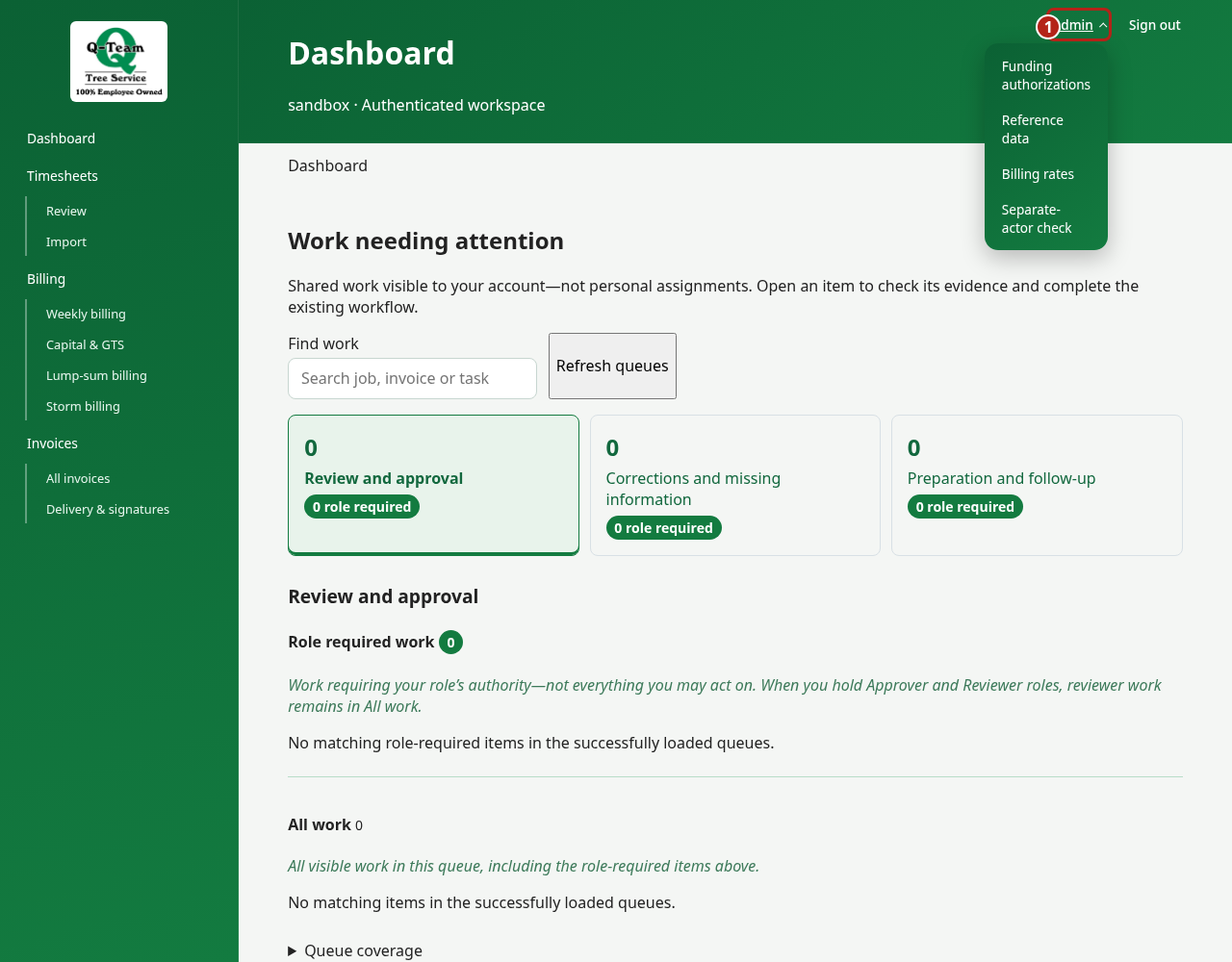
Find a page
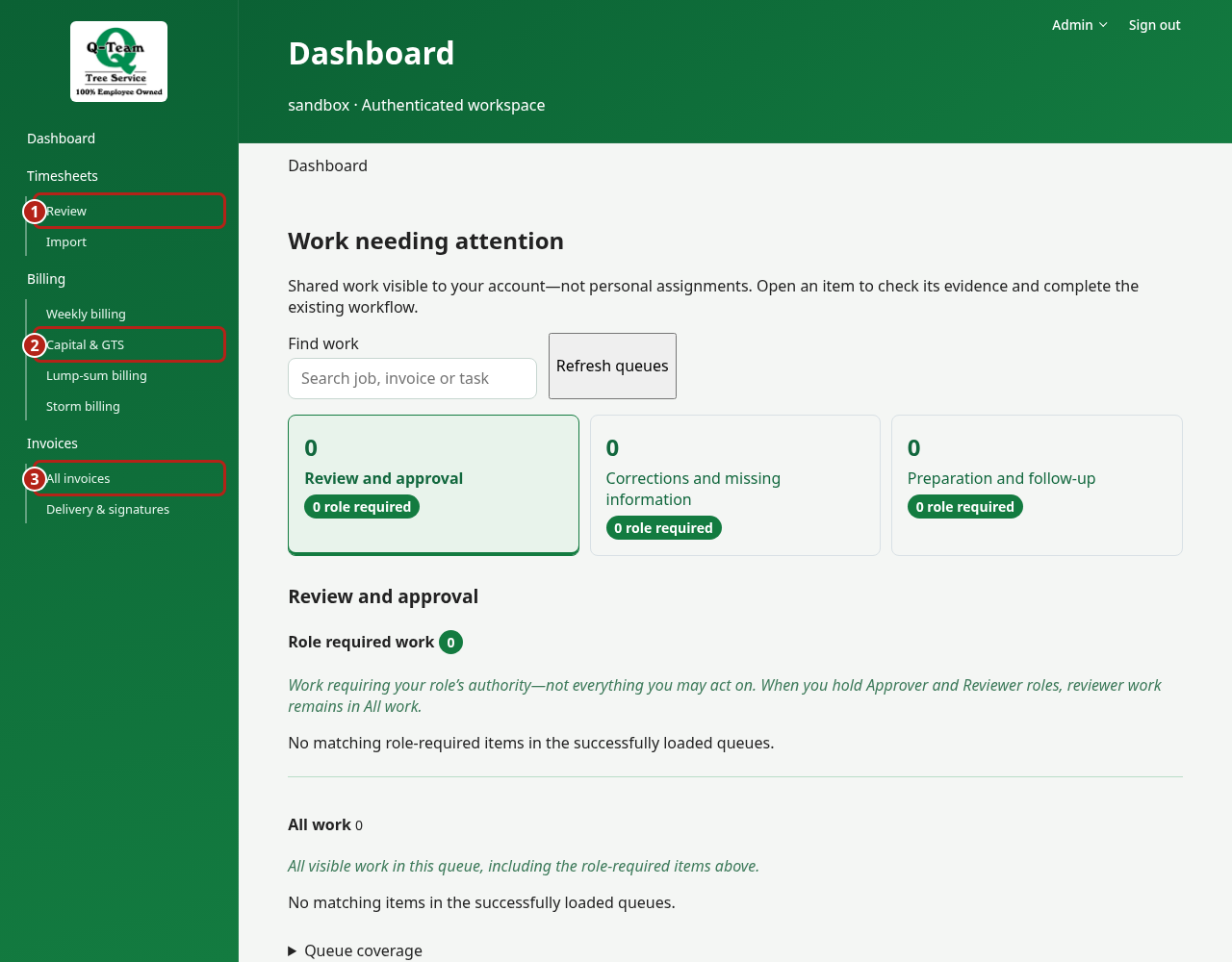
| Menu | Page | Use it to… |
|---|---|---|
| Dashboard | Work queues | Find shared work needing attention; start with work your role can act on. |
| Timesheets | Review | Check a week or a batch of timesheets. |
| Timesheets | Import | Find imported work; add work when enabled. |
| Billing | Weekly billing | Prepare weekly time and equipment charges. |
| Billing | Capital & GTS | Prepare unit-work drafts. |
| Billing | Lump-sum billing | Bill a stage of circuit work. |
| Billing | Storm billing | Review weekly support and the final storm bill. |
| Invoices | All invoices | Review numbered invoices and open their files. |
| Invoices | Delivery & signatures | Track a package and its returned paperwork. |
| Admin | Funding authorizations | Check PO/WO approval and linked invoices. |
| Admin | Reference data | Look up what a source value means. |
| Admin | Billing rates | Find the price for the work date. |
Move between pages
Open a row to see its details. Use the breadcrumb directly below the header, at the top of the main content area, to return to the list. A detail page and its selected view have bookmarkable URLs.
Subheader links separate related tasks. Views such as Overview or History show different parts of one selected record. Numbered steps guide a specific task; selecting a step does not approve or save anything. Use the named action button to record a change. Blocking findings and uncertain-save retry controls stay visible when you switch views.
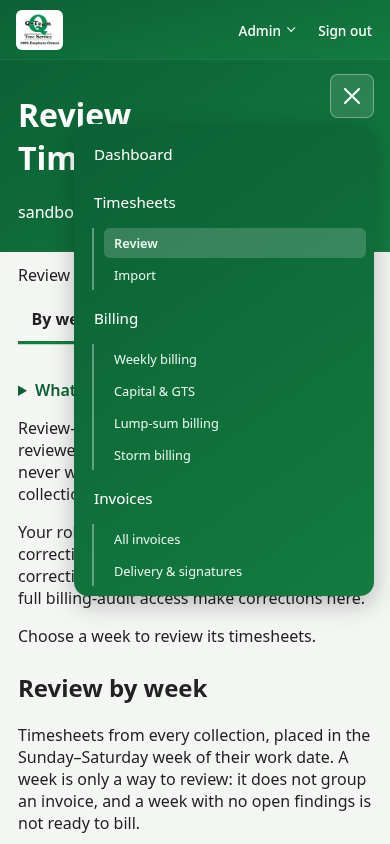
On a phone, use Main menu. Admin and Sign out are in the header. Open a page's help section if you need more detail.
Older or test-only names
Imported timesheets is the import list in retained-data mode. Weekly review is now Weekly billing. Package routing is Delivery & signatures. Check imported work is Timesheets → Review.
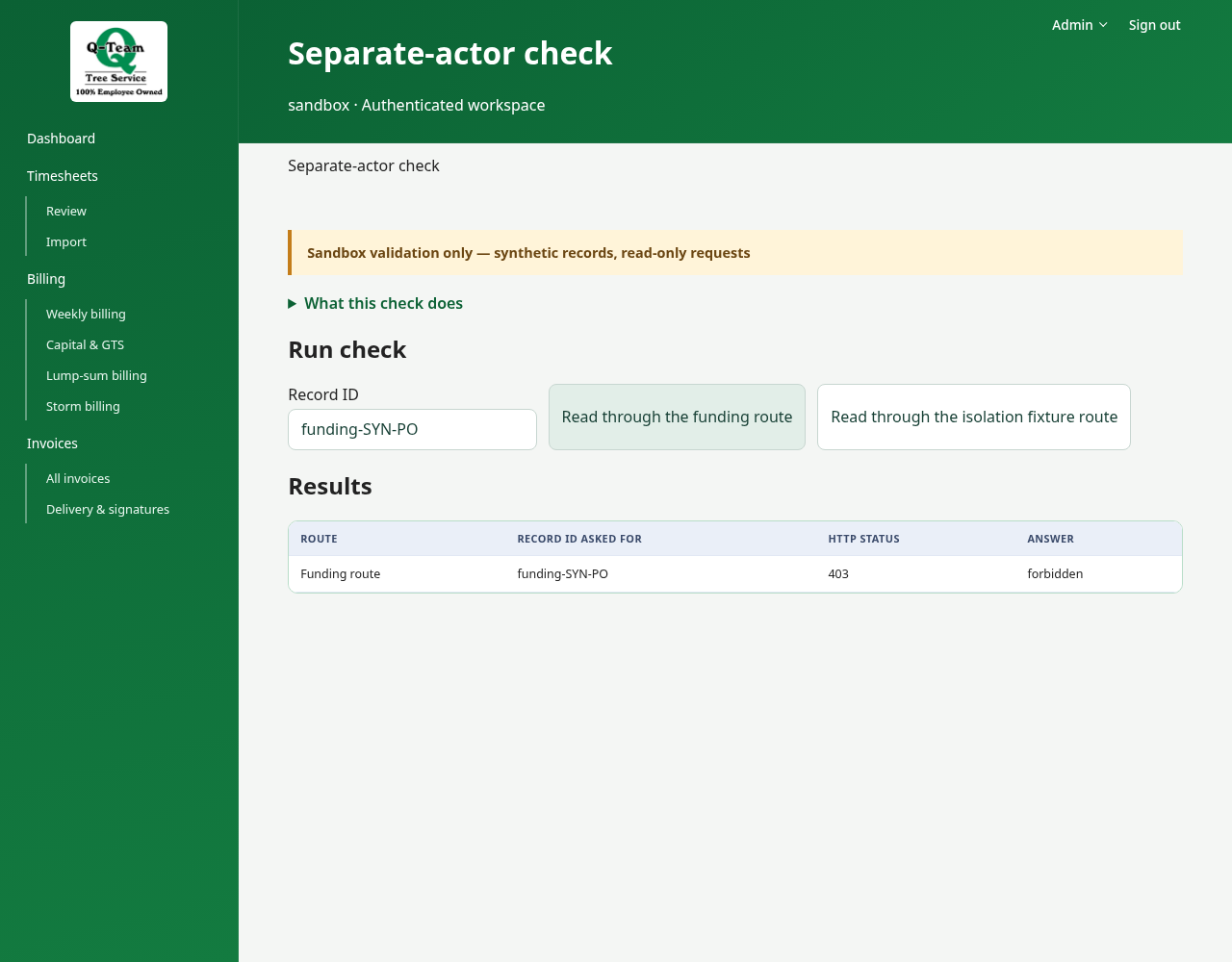
Separate-actor check tests different users' roles in the sandbox. Under Run check, enter a synthetic record ID and choose the route; Results shows the server answers, newest first. This read-only diagnostic is not a billing step and has no workflow tabs or stepper.